A Markdown workspace
for people and agents.
Duffel stores your notes as ordinary Markdown files, serves them through a small web UI, indexes them for fast search, and exposes an MCP server — so LLM agents can search, read, write, and journal against the same notes you do.
// what it does
Plain files. Real search. Shared with your agents.
Files are the source of truth
Notes are ordinary Markdown on disk. Inspect them, grep them, version them with git — no database lock-in, no proprietary format.
A browser UI for your notes
Read, edit, archive, and search Markdown from a fast, minimal web interface. URL paths map directly to files and folders under the data root.
An MCP endpoint for agents
Expose the same notes to LLM tools over streamable HTTP. Agents search, read, write, and append journal entries — durable project memory, no glue scripts.
Search-first by design
qmd-backed indexing powers fast workspace search and related-content recommendations, so the right note surfaces before you read a whole folder.
Journals that record the work
Append-only worklogs capture concise change history. Agents add one entry per logical change so the project remembers what happened and why.
Runs anywhere, secure by default
A small Go + TypeScript app that runs on a laptop, home server, or private network. Auth is on by default with canonicalized paths and same-origin protections.
// for agents
Durable memory over MCP
Duffel exposes a streamable HTTP MCP endpoint at /mcp.
Point a coding agent at it and the same notes you browse become project memory it can
retrieve, extend, and journal against — search-first, with small result limits and
targeted reads.
duffel_search find notes across the workspace duffel_read read a single file duffel_write create or update Markdown duffel_journal_append add a worklog entry {
"mcpServers": {
"duffel": {
"type": "streamable-http",
"url": "http://localhost:4386/mcp",
"headers": {
"Authorization": "Bearer ${DUFFEL_MCP_TOKEN}"
}
}
}
}Started with DUFFEL_AUTH_ENABLED=false? Omit the headers block.
// a look inside
A calm UI, built around your files
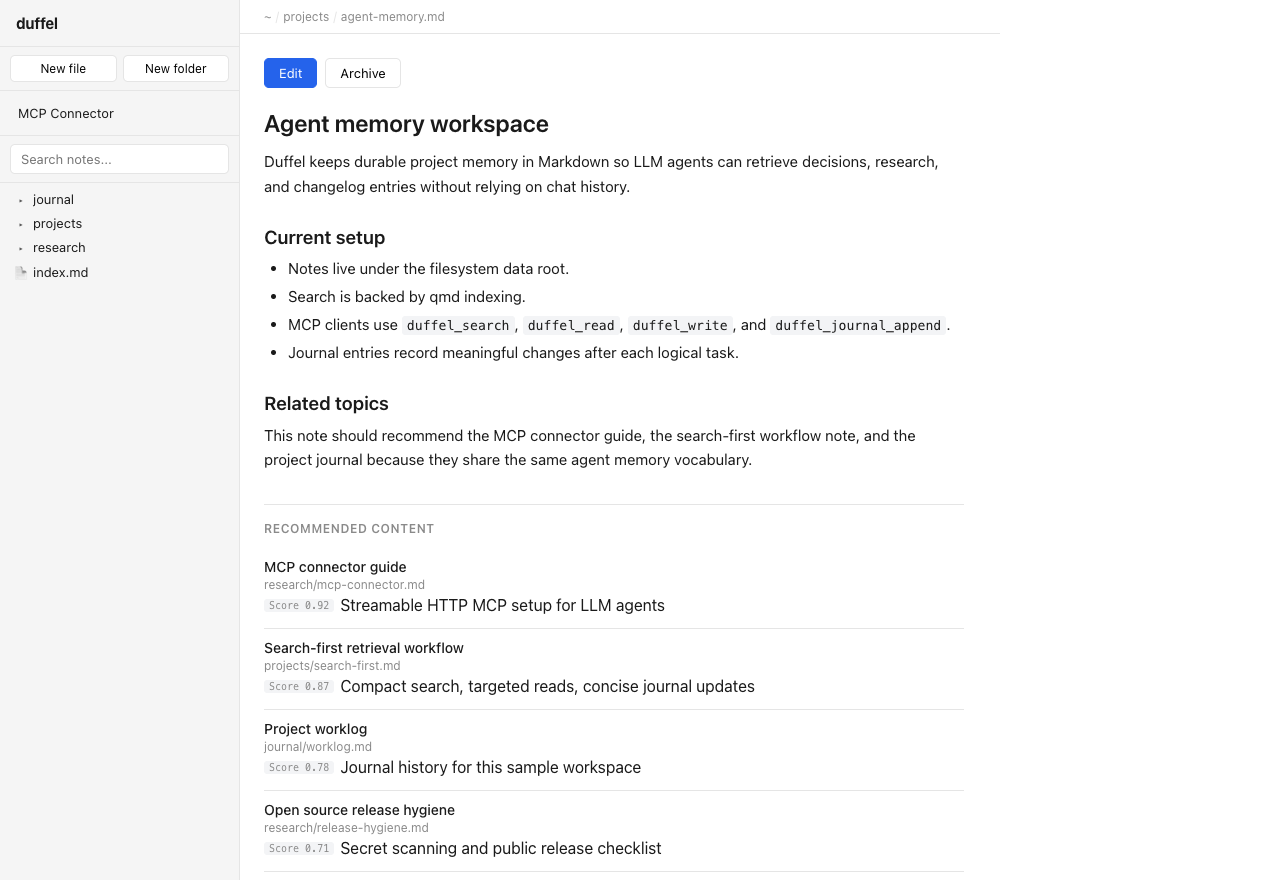
Notes with related content
Every note surfaces the most relevant neighbours, ranked by qmd relevance score.
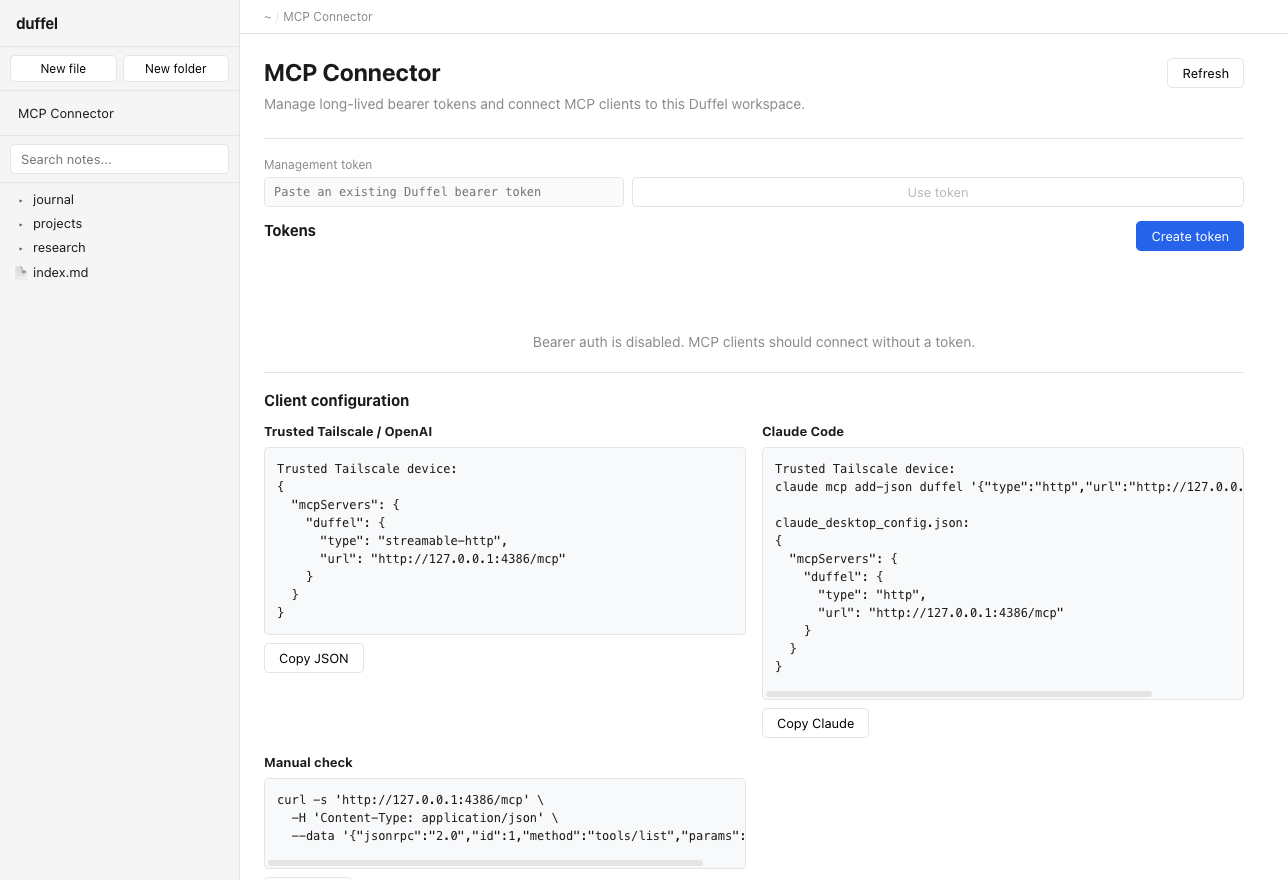
MCP connector
Mint bearer tokens and copy ready-made client config for Claude Code and other agents.
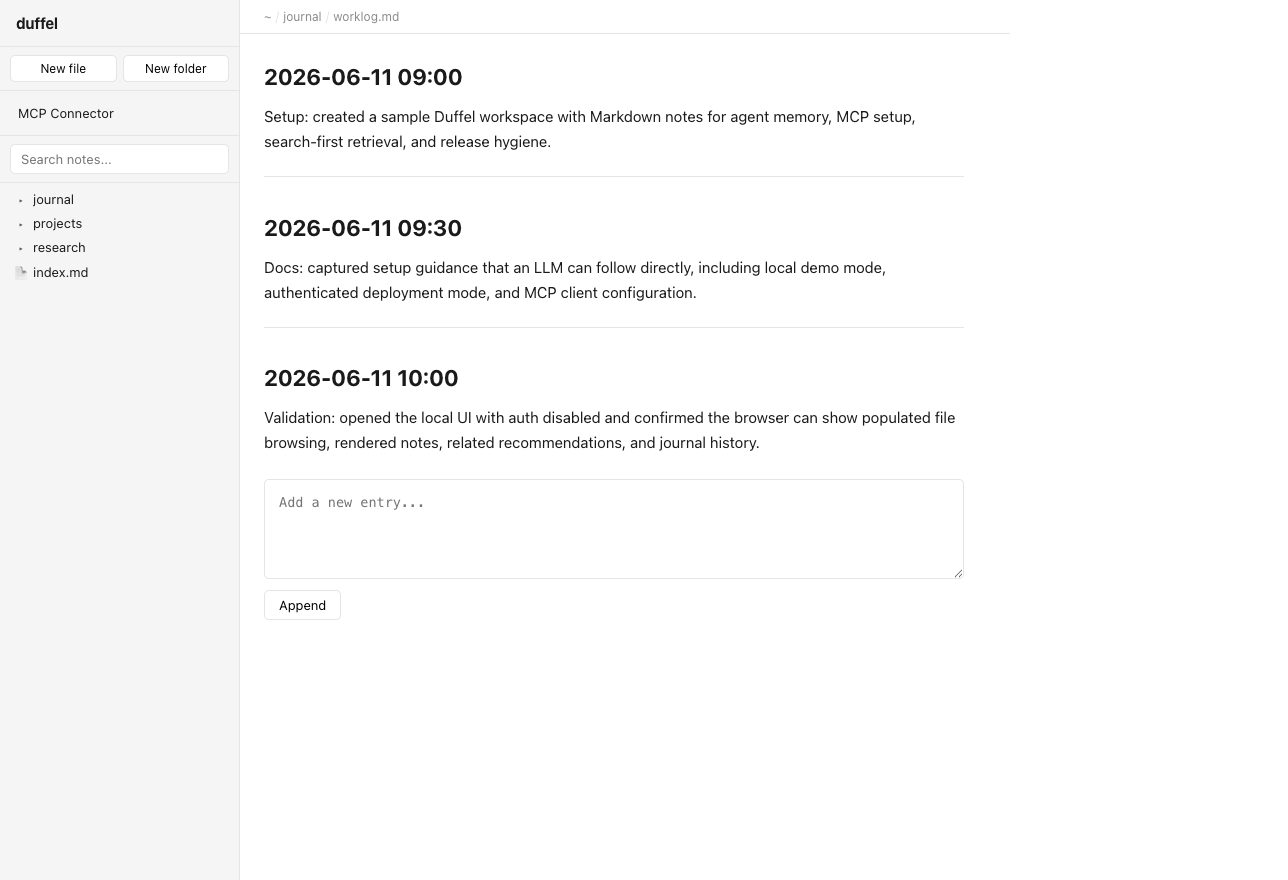
Journal history
Timestamped, append-only worklog — durable history of every meaningful change.
// get running
Up in a couple of minutes
Needs Go 1.26+, Node.js with pnpm, make, and curl.
The command below runs a local demo with auth disabled.
# clone and install
git clone https://github.com/jibs/duffel.git
cd duffel
make setup

# run a local demo (no auth)
DUFFEL_AUTH_ENABLED=false make dev

# open http://localhost:4386
Private-network deploy
Keep auth enabled, set DUFFEL_SETUP_TOKEN
before first owner setup, then follow the systemd deploy guide in the repo.
Wire up an agent
Open #/_mcp in the UI,
mint a bearer token, and copy the generated client config for your tool.
Notes you own. Memory your agents share.
Duffel is open source and built to run on hardware you control — a laptop, a home server, or a private network.